About You

IP Address: 38.107.191.95
Our service replaces your IP Address with one of our secure and anonymous IPs. It will make you appear to be from the USA, UK, Canada, Germany etc.
The most trusted industry leader. Servicing businesses, professionals and home users.
Become Anonymous, Stop Government/ISP Monitoring and Tracking, Unblock VOIP, Skype, and all other content/websites, Secure Your Connection


Mac OSX VPN Setup Guide Information


Open Internet Connect

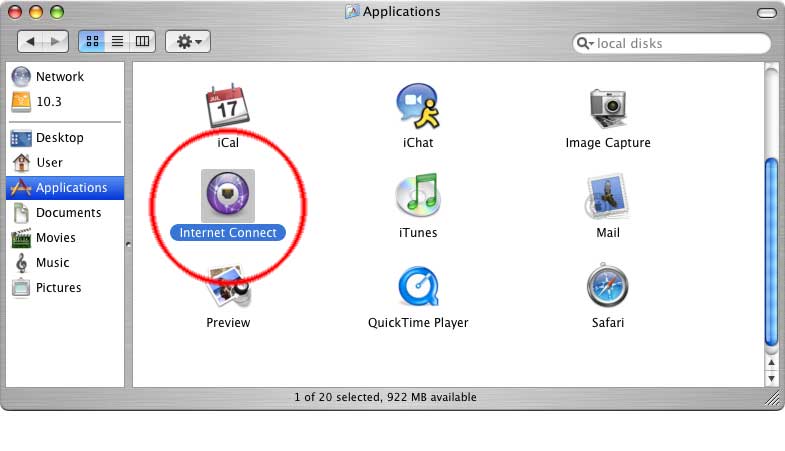
First, open the ‘Applications’ folder by going to the Finder and choosing “New Finder Window” from the “File” menu. Click on the ”Applications” icon, then scroll down until you see the “Internet Connect” icon.
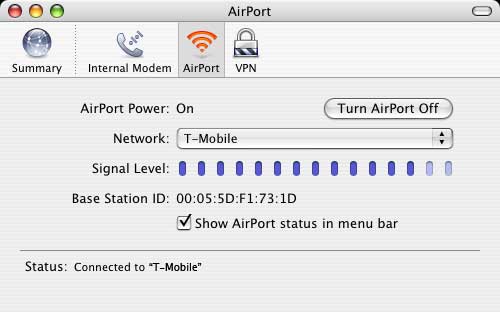
Double–click on the “Internet Connect” icon. You should see a window like the one below. Your ‘Network’ and ‘Base Station ID’ will probably be different.
Create a New VPN Connection

Next, go to the ‘File’ menu and select “New VPN Connection Window.”
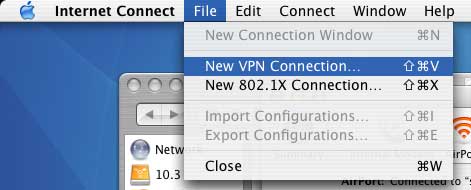
You should see a the following screen. Click ‘PPTP,’ then click ‘Continue.’

Set the Connection Information

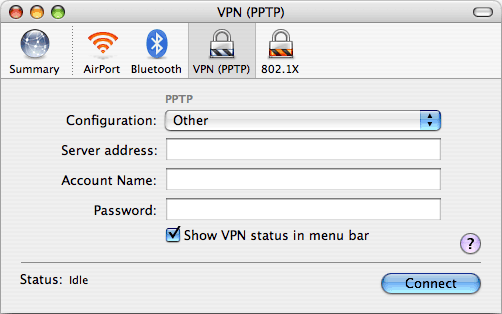
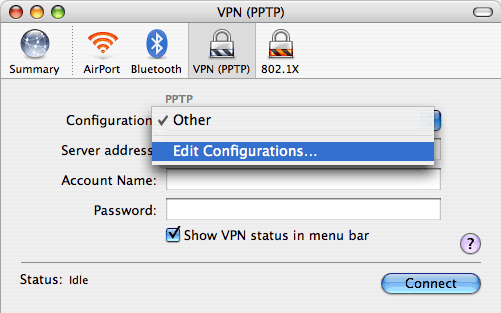
The next screen will look like this:

Click on the ‘Other’ and select ’Edit Configurations…’
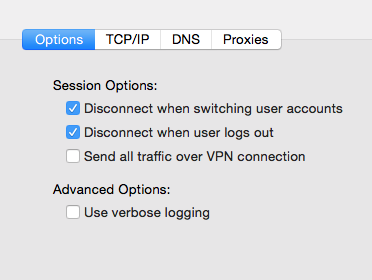
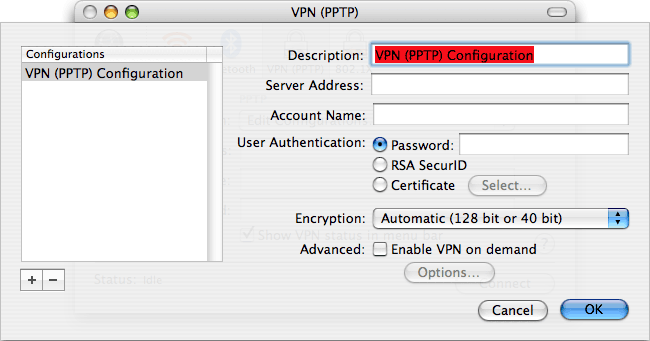
You should see the following screen, which is where you create new VPN configurations.

Do You Have Questions?

Our professional support staff will be glad to answer your questions/concerns.

Click Here To Contact Us (fast response).

Examples of VPN Benefits
  • Improve the quality of VOIP.
  • Improve Security and make "spoofing"/DNS poisoning impossible
  • Become invisible and untraceable
  • Bypass Torrent Restrictions/Throttling
  • Useful for SEO purposes
  • Speed up your connection to certain sites and services
  • Bypass Content Filters & Restrictions
  • Can Be Used On Mac, Windows, Linux, iPhone & More
  • Keep your surfing habits safe at work
  • Unblock Chat/Social Networking Sites Who Uses VPN Accounts? Everyone. Here are some examples of our customers who participated in a recent survey to win a new Sony VAIO.
  • Expatriates Living Abroad
  • Frequent Travelers (Work/Business/Personal)
  • Average Users Who Want Security
  • Journalists
  • Government Workers